Municipal & Private-Site LPR Operations Platform
CamOps
CamOps turns Hikvision NVR and camera infrastructure a site already owns into an automated license-plate operations system: every passing vehicle is captured, classified against whitelist and blacklist policy, and acted on in real time — with an immediate critical alert the moment a wanted or blacklisted plate is seen.
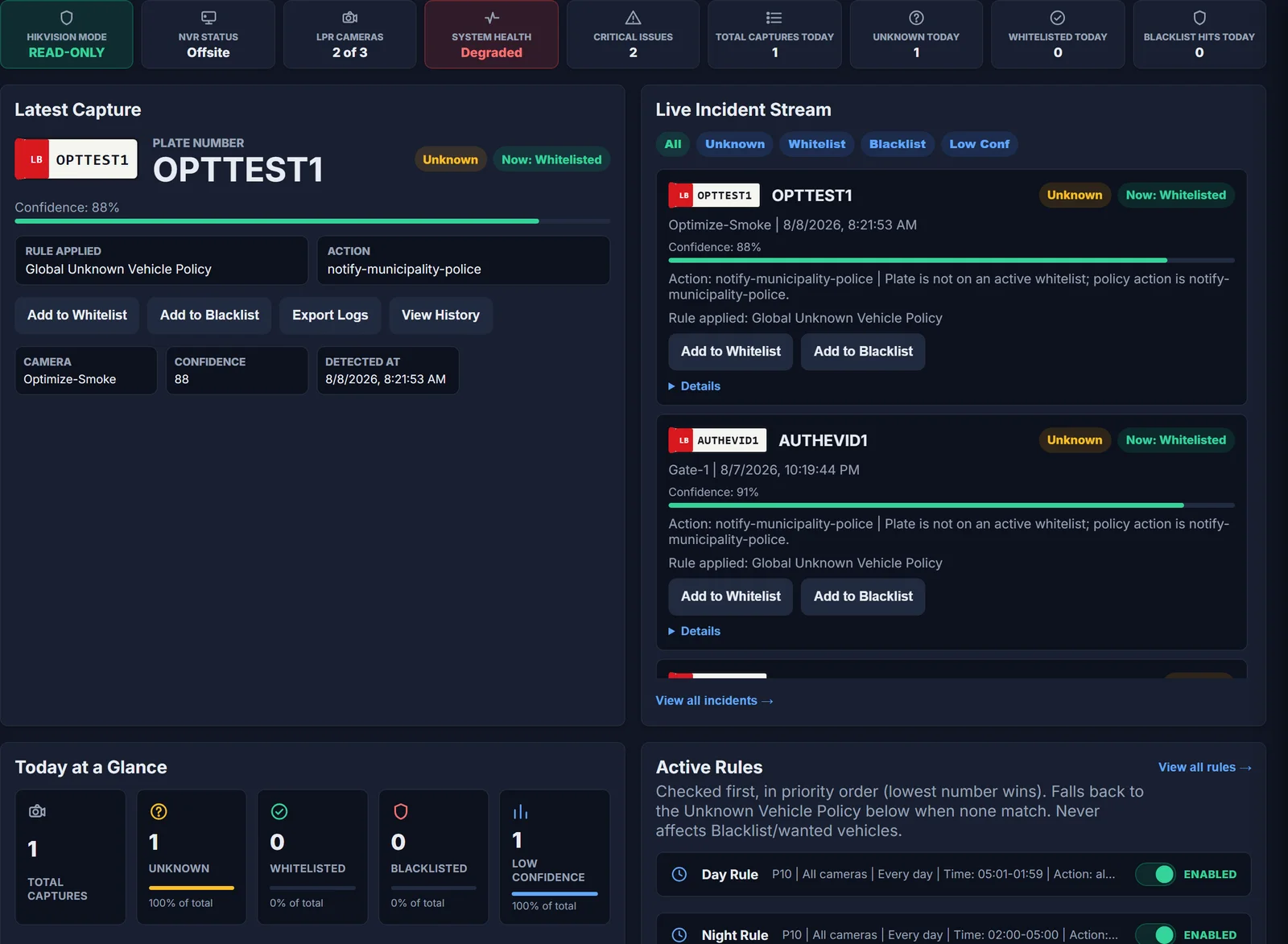
One connected capture-to-alert pipeline
From a passing vehicle to a police-ready alert, automatically.
CamOps replaces manually scrubbing NVR footage after the fact with a live operational pipeline: capture the plate, classify it against whitelist, blacklist/wanted, and unknown-vehicle policy, store the evidence, and deliver the right notification — all while the vehicle is still at the gate.
Capture to alert
Every plate follows the same automatic path.
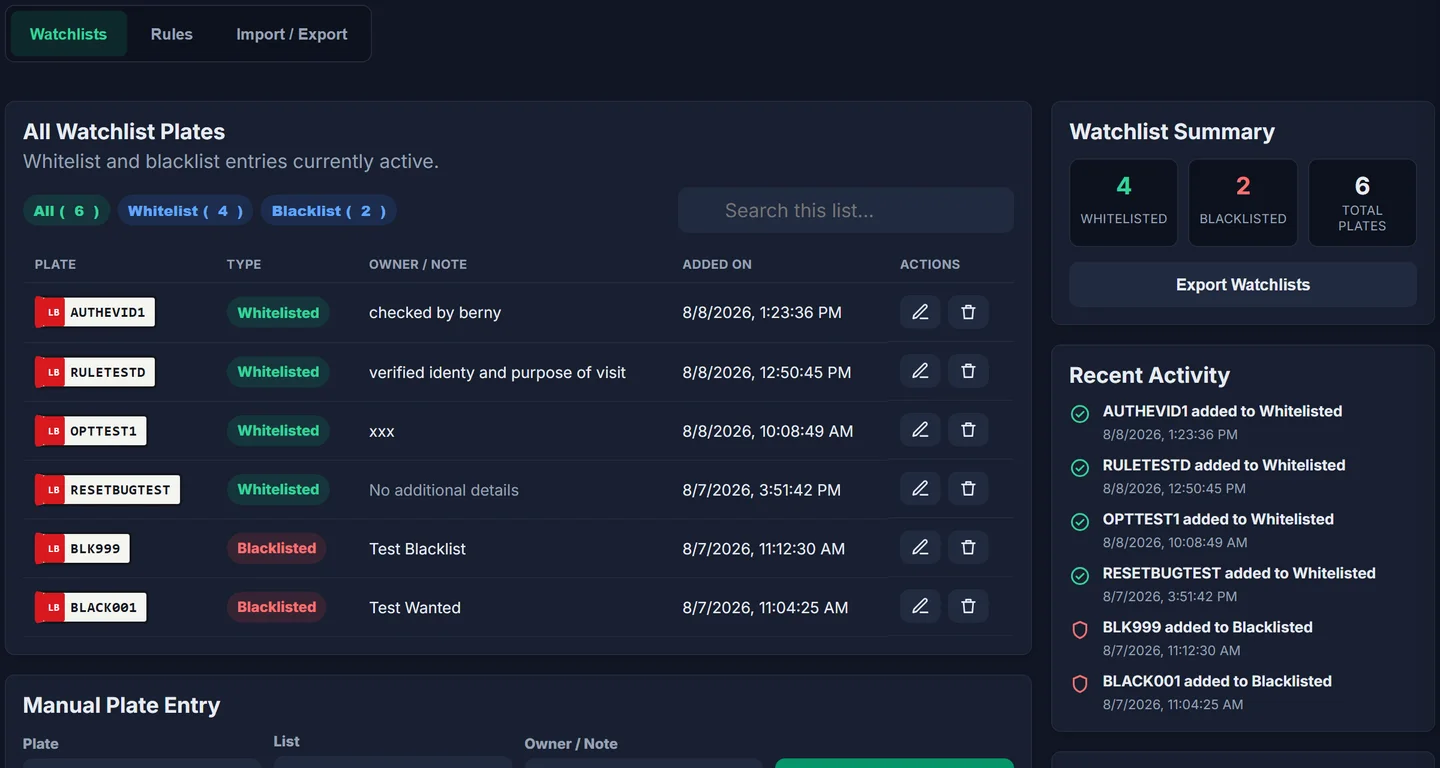
Whitelist and blacklist, in one place
Manage every plate on the list without touching a spreadsheet.
Add, search, and filter whitelist and blacklist plates from a single table, each entry logged with who it was added by, when, and why. A live summary and recent-activity feed keep the current state of the watchlist visible at a glance, and the same records drive real-time classification the next time that plate is seen.
Screenshot shows sample watchlist entries from a demo environment, not real customer data.
Operational capabilities
Built for vehicle access control, not just video storage.
Who it is for
Vehicle access control for sites that already run Hikvision LPR cameras.
01
Municipalities and local authorities that need automatic classification and police notification, not just recorded footage.
02
Gated communities, industrial sites, and private compounds that whitelist resident or staff vehicles and want unknown vehicles flagged automatically.
03
Security operators who need a searchable, evidence-backed passage history instead of manually scrubbing NVR footage after an incident.
Questions operators ask
CamOps FAQs
Does CamOps replace my Hikvision NVR or cameras?
No. CamOps reads from existing Hikvision NVR and LPR camera infrastructure through their own official interfaces; it does not replace that hardware.
Can CamOps change my camera or NVR settings on its own?
No. CamOps operates read-only by default and only makes configuration changes when an operator explicitly enables a time-boxed maintenance write window.
What happens the moment a blacklisted vehicle is seen?
An immediate, unconditional critical alert is pushed to every subscribed device. This path can never be delayed or filtered by a custom rule.

See CamOps running against your own NVR.
Tell us which Hikvision NVR and cameras you run, and we will show you how CamOps classifies, alerts, and logs against your own watchlist policy.